> For the complete documentation index, see [llms.txt](https://ballgame-com.gitbook.io/ballgame.com/llms.txt). Markdown versions of documentation pages are available by appending `.md` to page URLs; this page is available as [Markdown](https://ballgame-com.gitbook.io/ballgame.com/lottery/how-do-i-withdraw-my-winnings.md).
# How Do I Withdraw My Winnings
{% hint style="danger" %}
If you are unfamiliar with cryptocurrency wallets, please reach out to BALLGAME.COM's support team.
{% endhint %}
All lottery payouts on BALLGAME.COM are made in **USDC**, a widely trusted, dollar-pegged cryptocurrency used by major platforms like **Coinbase**, **Binance**, and many others.
{% hint style="info" %}
💰 **1 USDC ≈ $1 USD**
{% endhint %}
It is vital to note that USDC is distributed on the **Base Network**.
***
## Your Built-In Wallet
Every BALLGAME.COM account comes with a secure **cryptocurrency wallet**, automatically created when you sign up, which powered by our partner **Dynamic.xyz**.
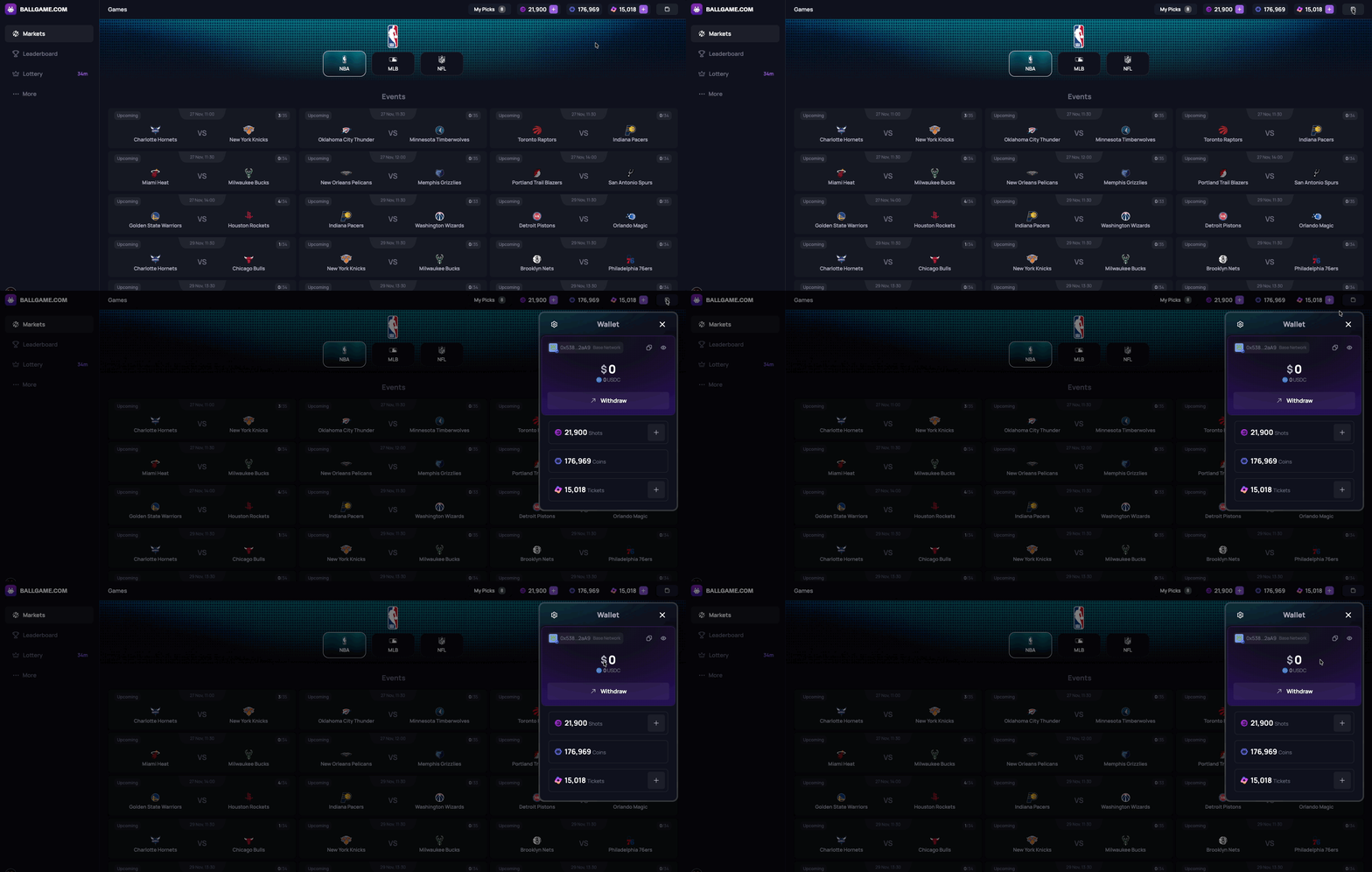
To access your wallet:
1. Click the **wallet icon** in your profile
2. View your **USDC balance**
***
## Sending USDC to a Cryptocurrency Exchange or Another Wallet
If you would like to convert your USDC into local currency (USD, EUR, etc.), you will need to transfer it to a **cryptocurrency exchange**.
{% hint style="info" %}
Most exchanges have a dedicated “Deposit” section where you can find your unique USDC wallet address on the **Base blockchain**.
{% endhint %}
**Steps:**
1. Always ensure you are withdrawing funds to a wallet address on the Base blockchain
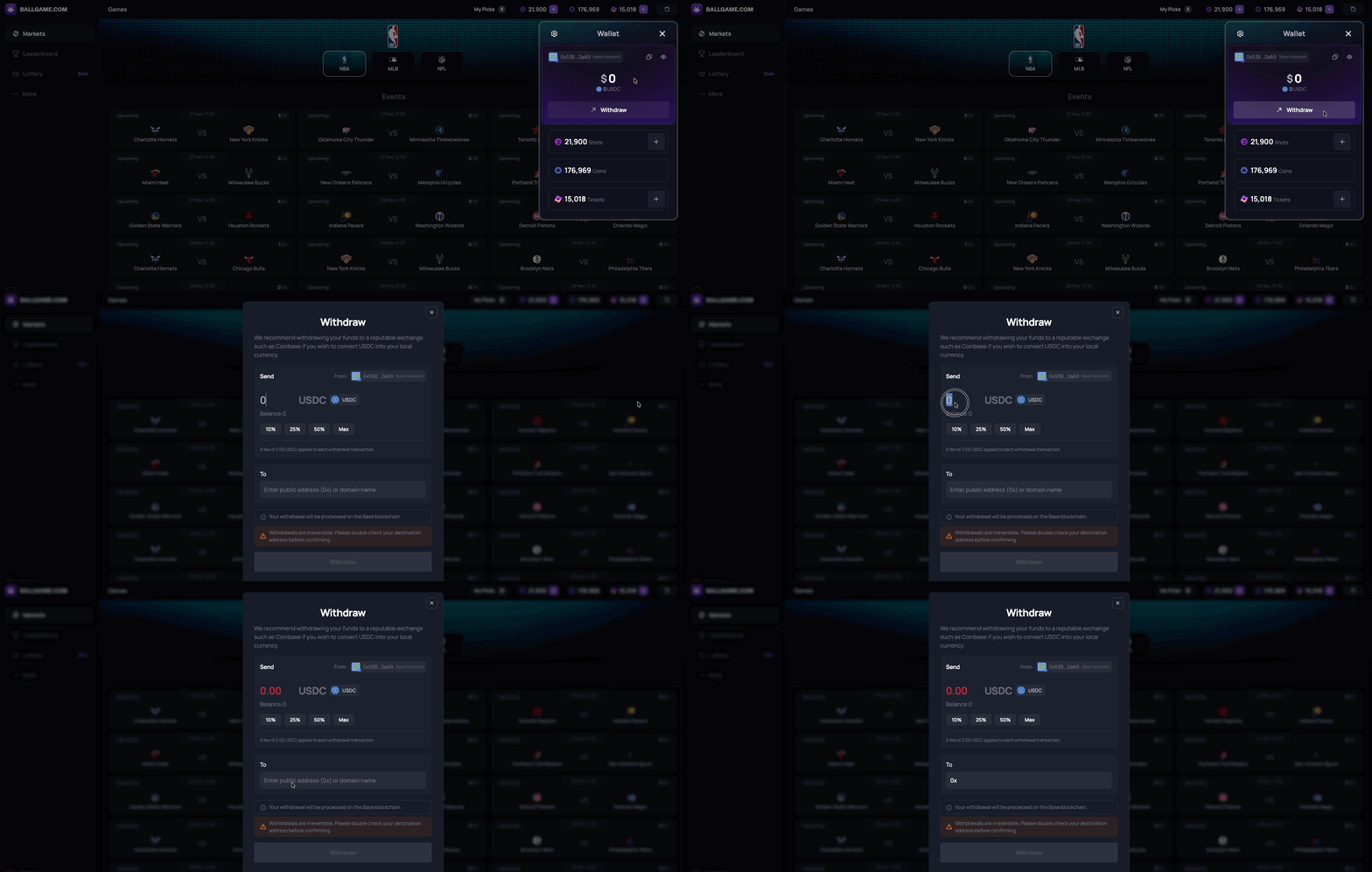
2. Click **“Withdraw”** in your BALLGAME wallet
3. Enter the **USDC wallet address** from your exchange (e.g. Coinbase, Binance, Kraken)
4. Confirm the transaction
5. Once received into your exchange account, you can then convert to fiat and withdraw to your bank account from the exchange
***
## Sending USDC to Another Wallet
If you want to move your funds to a personal wallet like **MetaMask**, **Trust Wallet**, or another user’s wallet, you can send your USDC anywhere USDC is supported via the **Base Network**.
**Steps:**
1. Always ensure you are withdrawing funds to a wallet address on the Base blockchain
2. Click **“Withdraw”** in your wallet
3. Paste the **destination wallet address**
4. Double-check that the wallet supports **USDC on the correct network** (Base)
5. Confirm and complete the transfer
{% hint style="info" %}
**Always** **double-check** wallet addresses and networks. Cryptocurrency transfers are permanent and cannot be reversed once sent.
{% endhint %}
***
## Minimum Withdrawal and Fees
There is a minimum withdrawal amount of 3 USDC. If your balance is under 3 USDC, you will not be able to withdraw your funds. In addition, there is a small withdrawal fee of 2 USDC.